ASIC Miner Monitoring Software
Manage your mining farm remotely from any device. Monitor ASIC miner hashrate, temperature, and power consumption in real time, assign tasks to technicians, and respond instantly to issues.
What is Jeensys?
Jeensys is an ASIC miner monitoring system providing comprehensive equipment status oversight, automatic fault detection, maintenance task creation, and detailed log and rack status analysis.
The system offers both desktop and mobile application versions, comprising eight key modules. Each section delivers full control over mining operations — from instant access to equipment parameters to farm administration. Thanks to intuitive navigation and detailed visualizations, the system transforms complex processes into simple, manageable actions.
Dashboard
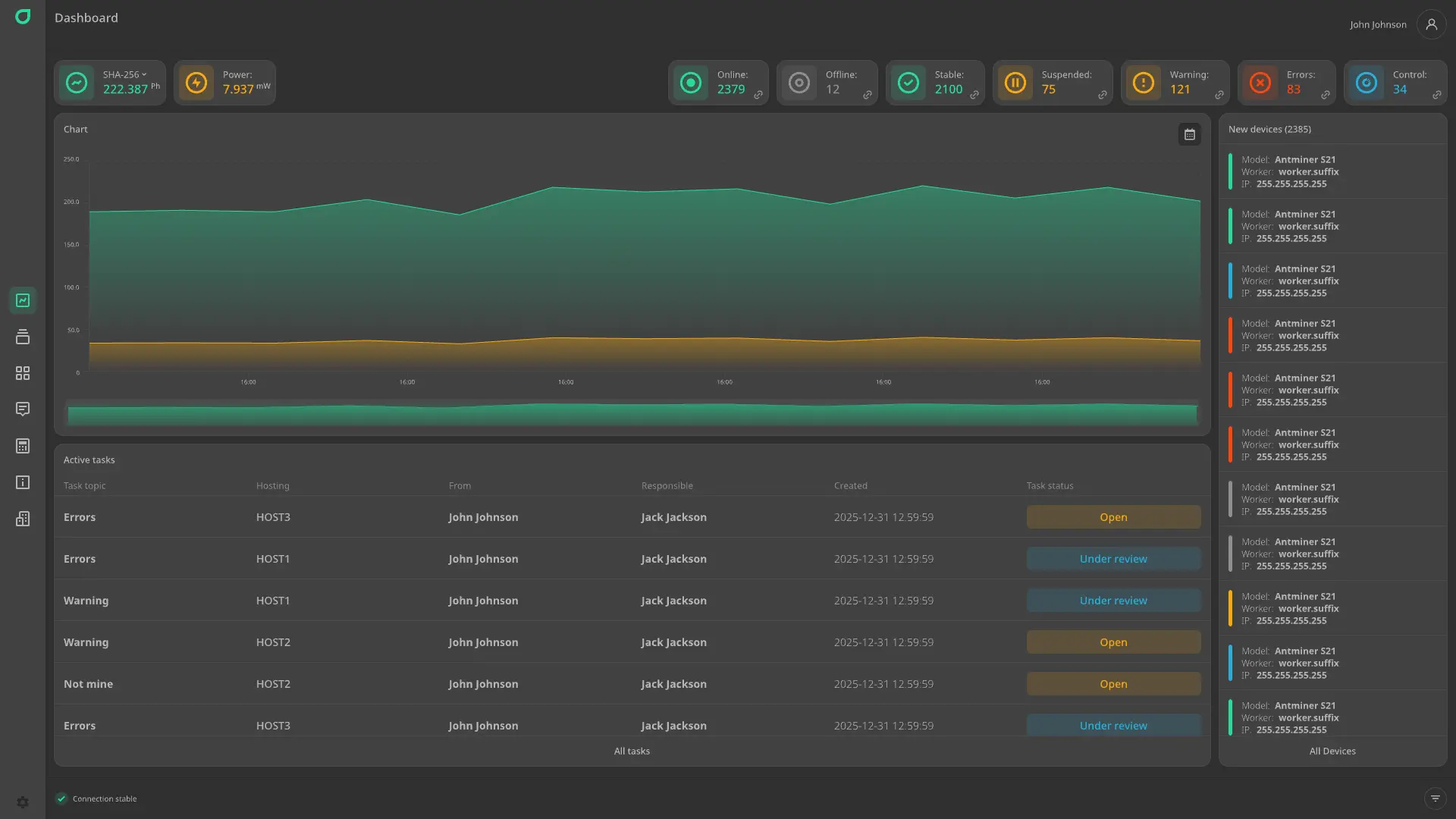
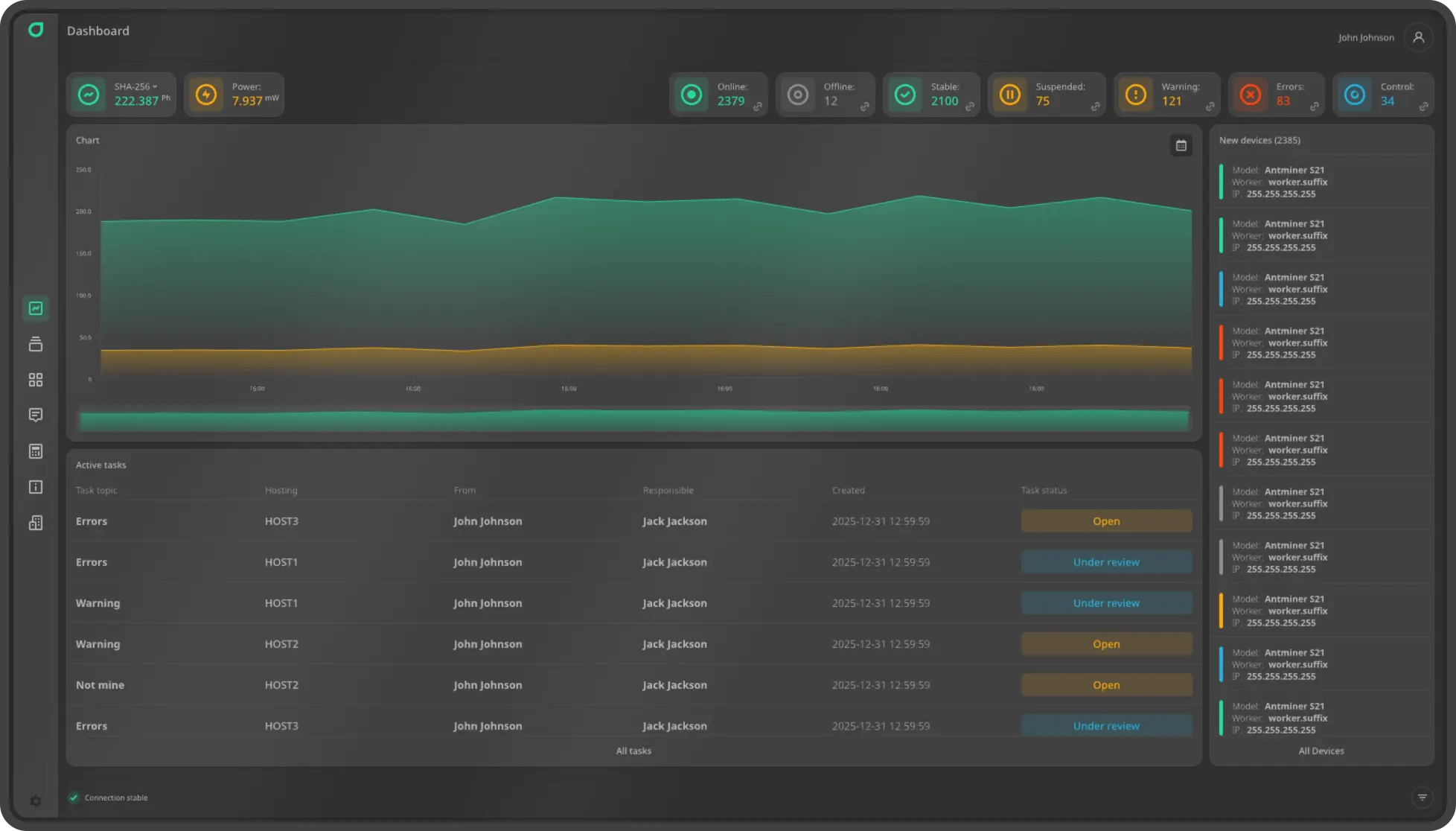
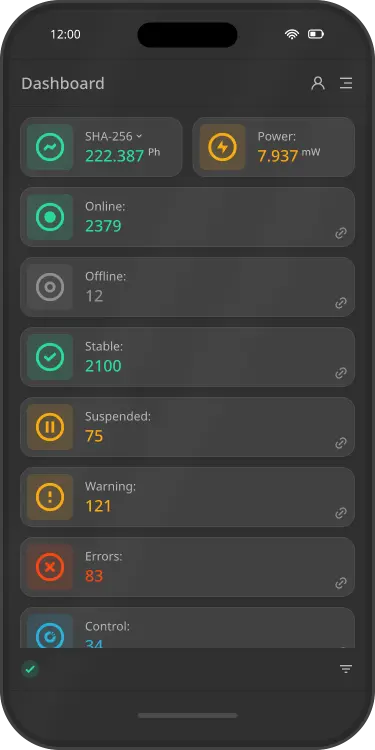
Real-time overview of your entire mining farm: total hashrate, power consumption, number of online and offline devices, stable miners, non-mining units, and those with problems or errors. Intuitive charts display hashrate and power consumption trends. This section also shows newly connected devices and a list of active tasks — all in one window for rapid decision-making and immediate response to failures.
Devices
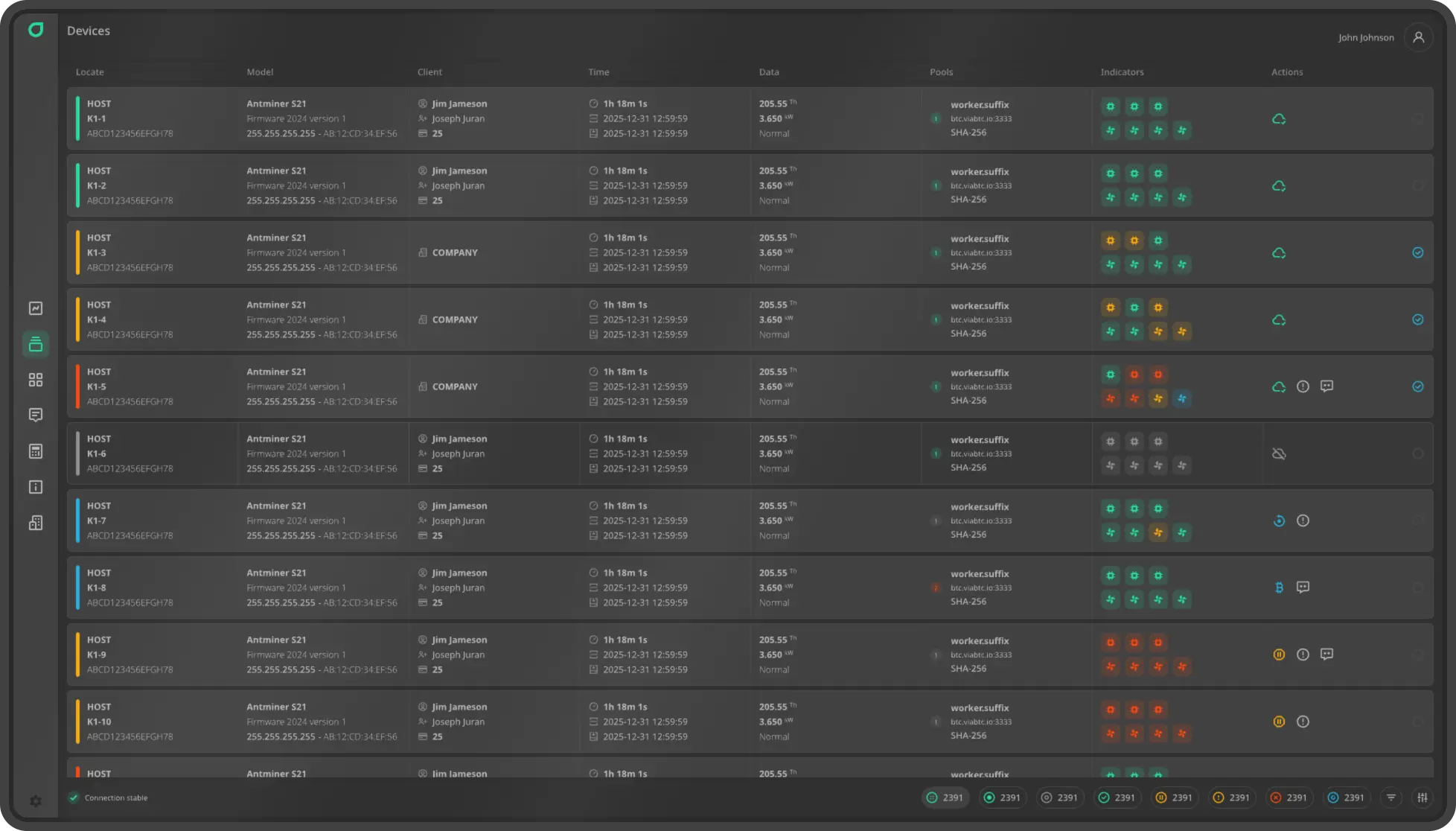
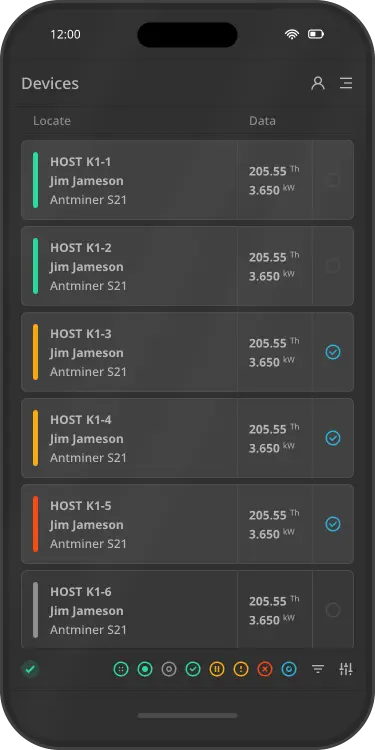
Detailed overview of all ASIC miners at your facility. Each device displays complete information: rack and exact position, serial number, model, firmware version, IP and MAC addresses, installation date, hashrate and power consumption, operating mode (mining/idle), configured pools, and board and fan status. Real-time statuses and errors allow quick fault identification, performance tracking, and equipment management.
Racks
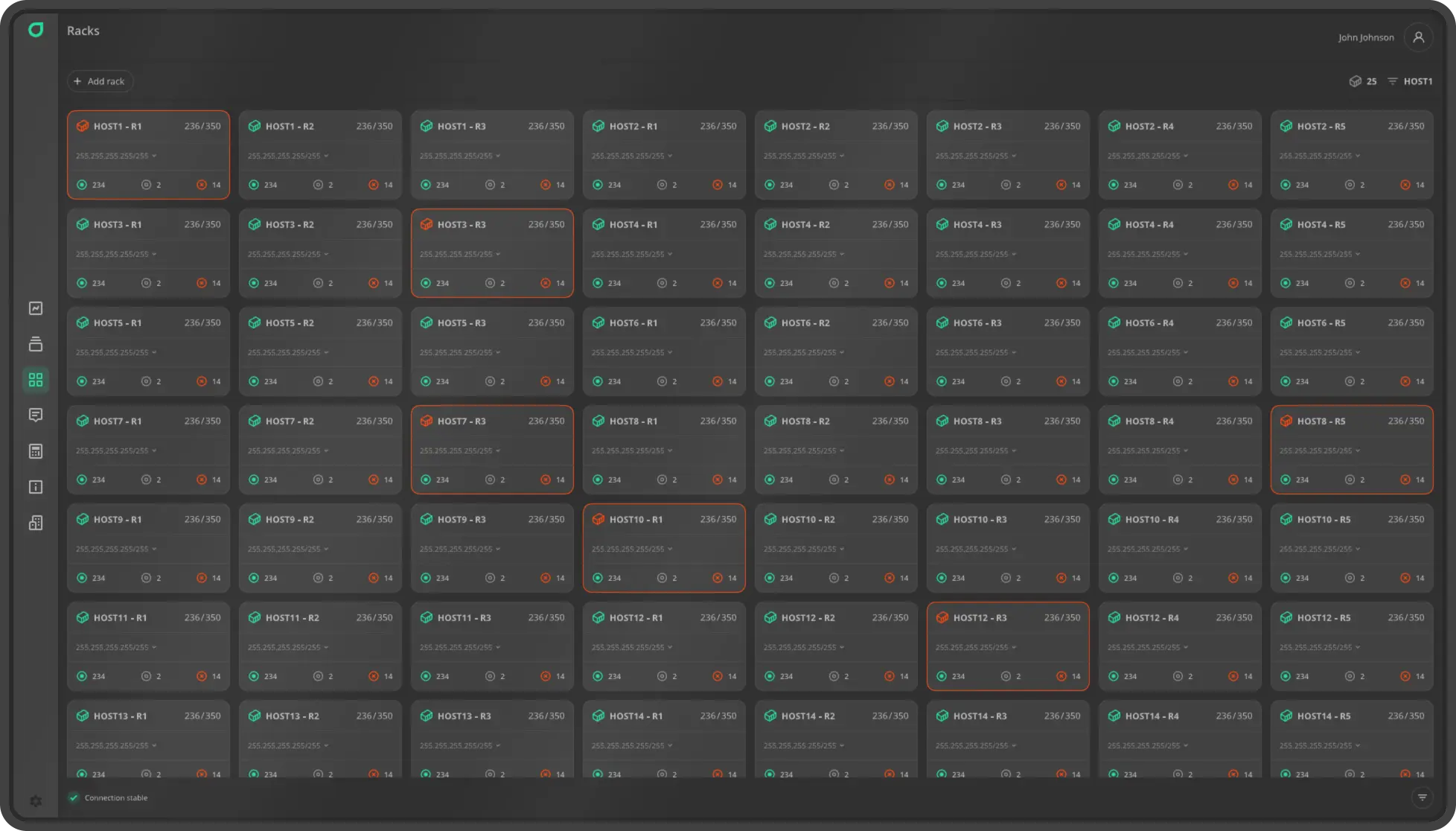
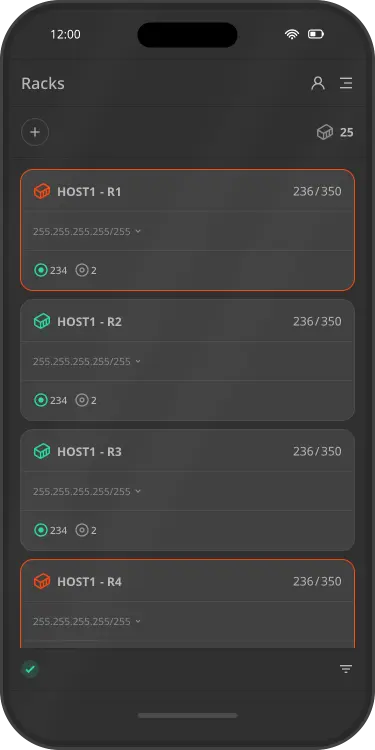
Racks visually organize and manage ASIC miner placement across your facility. The full list of racks shows the number of installed devices, their status, and utilization. For easy planning and scaling, you can create new racks with just a few clicks, automatically assigning devices and ensuring clear structure and simplified maintenance.
Tasks
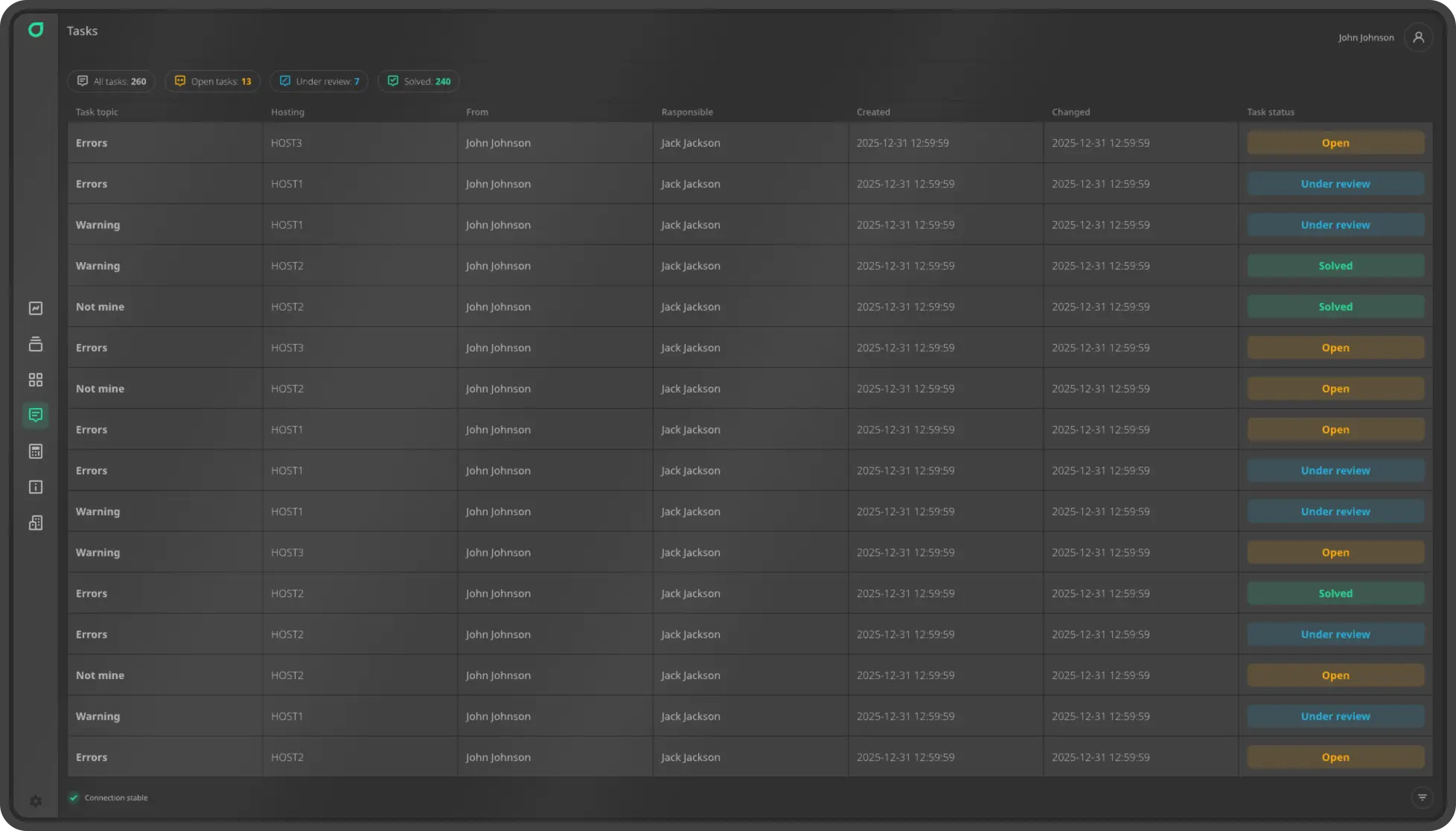
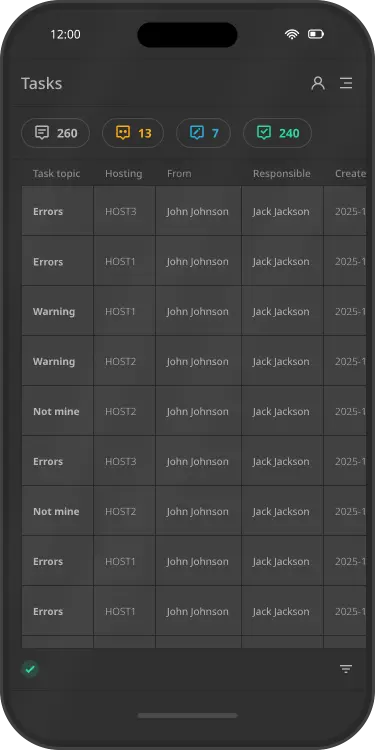
Each task displays key details: subject, hosting (specific destination), initiator, assigned technician, creation and last-modified dates, and current status (open, under review, resolved). Clear linkage to devices and clients enables moderators and technicians to respond quickly to requests, minimize downtime, and deliver high-quality service — turning every ticket into a guaranteed solution, not just another entry on a list.
Calculations
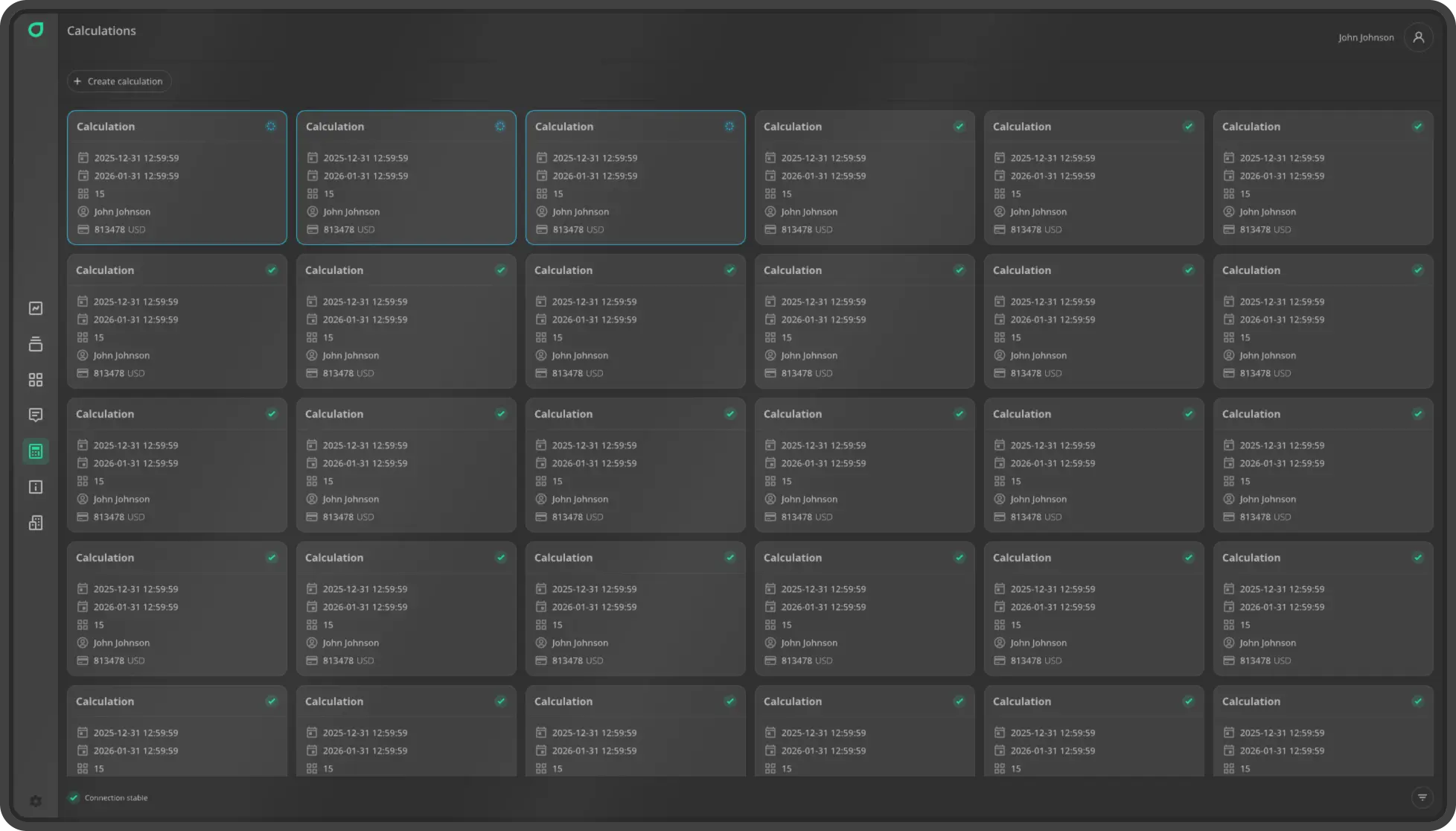
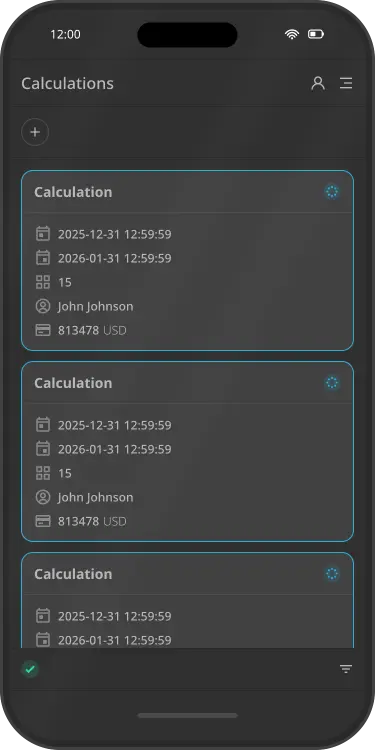
Calculations provide a flexible, precise tool for billing mining services. Automatically compute revenue for your entire company or individual clients based on hashrate, power consumption, uptime, and defined pricing plans. The system supports multiple pricing models: flat rate, consumption-based, or activity-based, enabling easy generation of invoices, statements, and reports for accounting and clients — making financial tracking transparent, fast, and error-free.
Logs
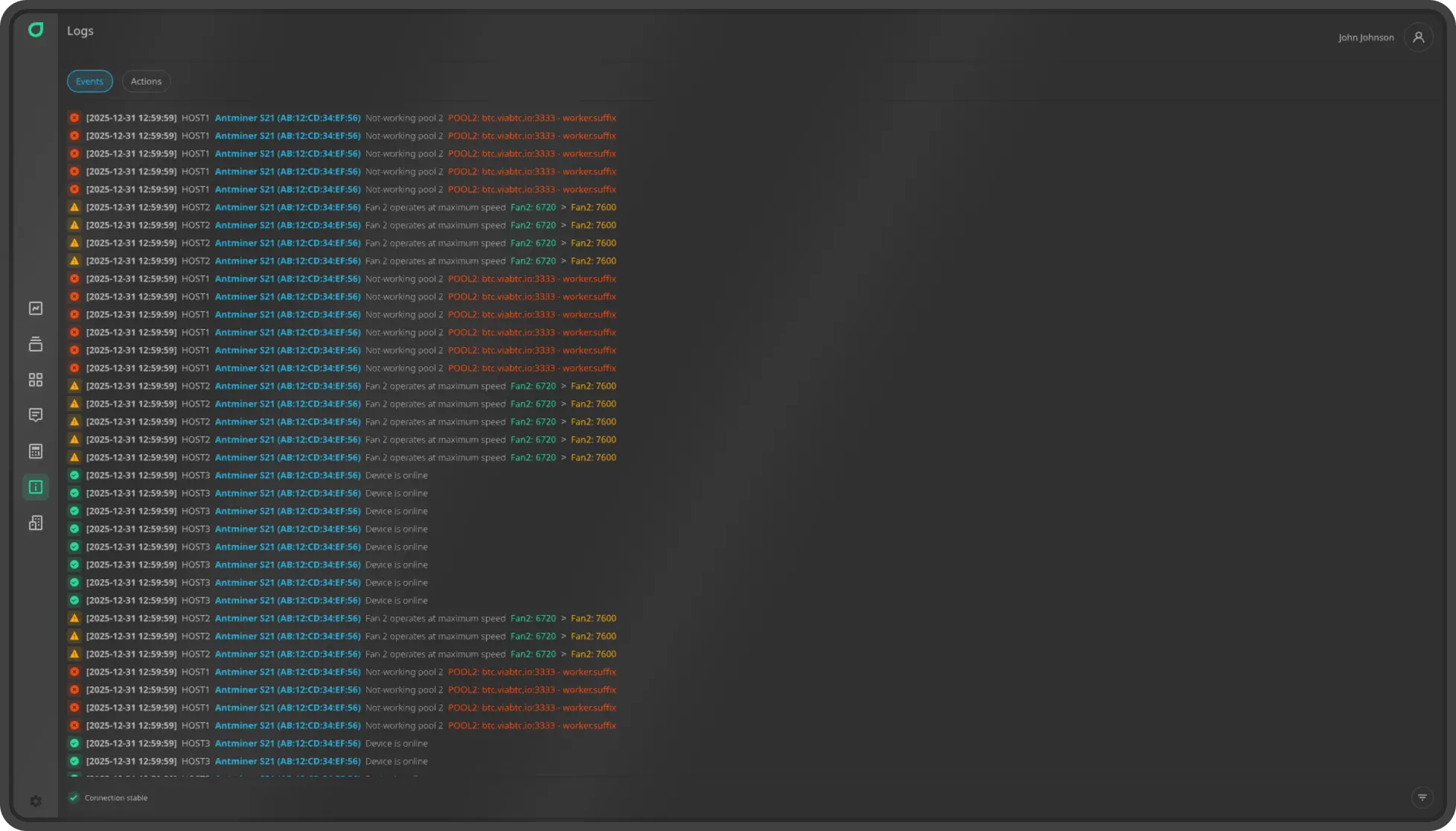
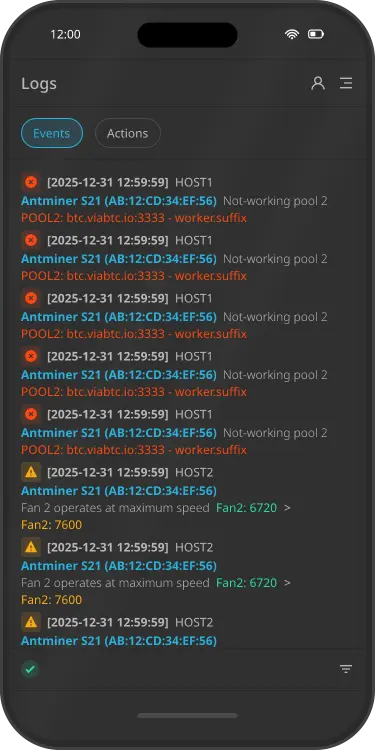
A detailed journal of all events and actions on your mining farm, recording equipment failures, IP address changes, firmware updates, pool switches or pool outages, and user actions (e.g., who rebooted a miner or changed settings). Each entry includes a timestamp, event type, affected equipment, and username — ensuring full operational transparency, audit capability, rapid root-cause identification, and protection against unauthorized changes.
Company
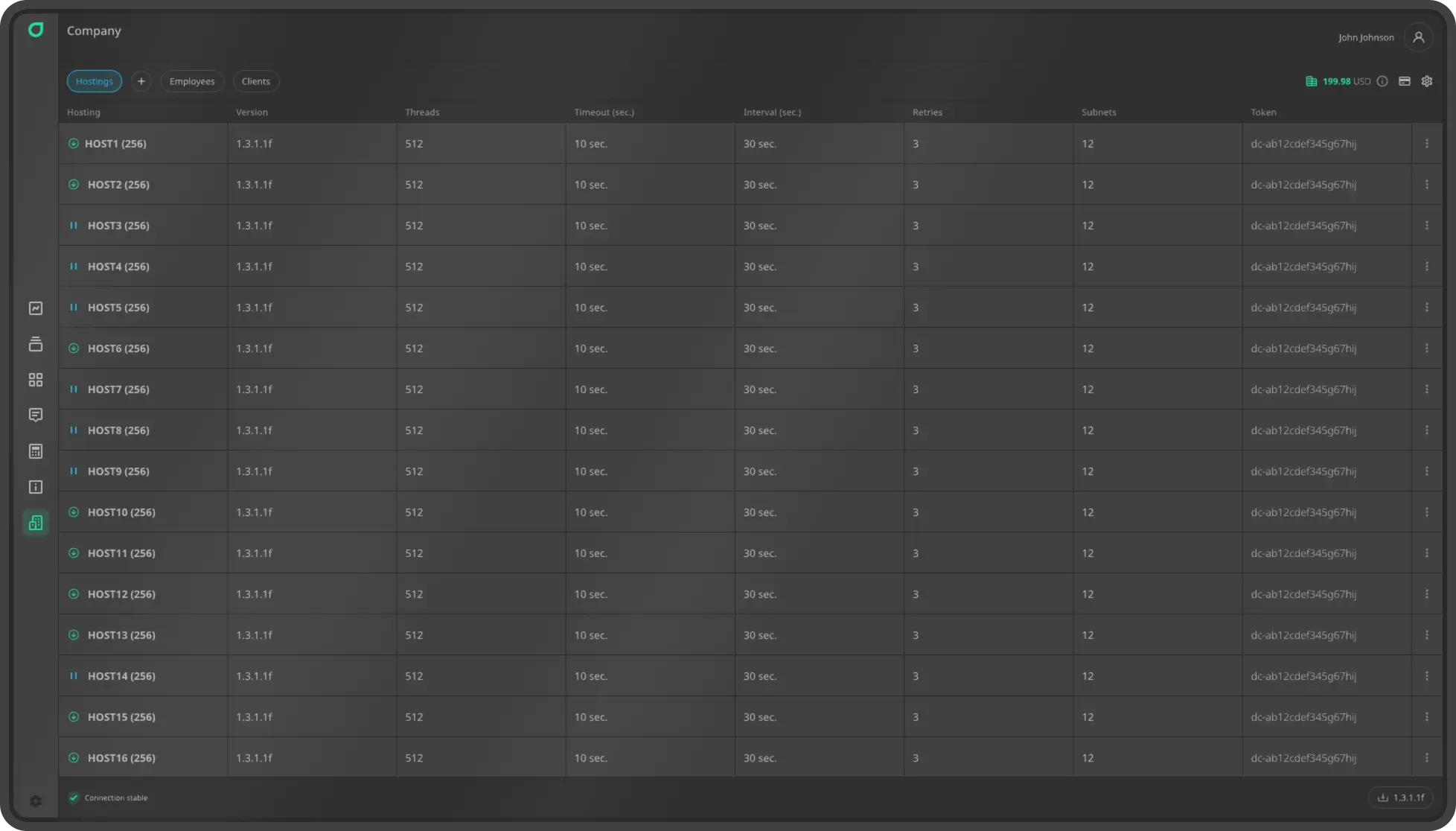
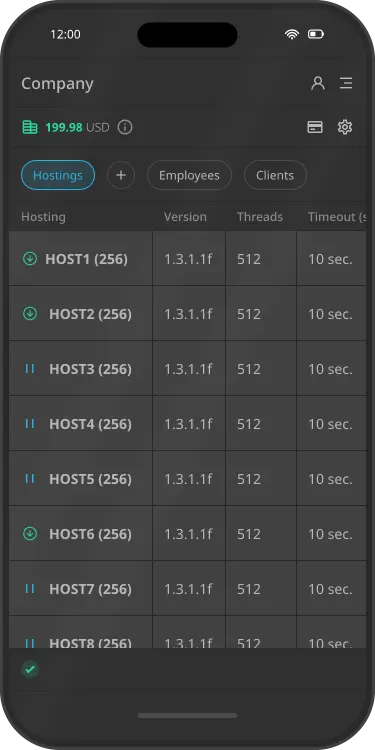
Company Settings serve as the central hub for managing your entire mining infrastructure. Here you can download a dedicated scanner application to automatically detect and add equipment to your hosting, create and manage hostings, employees, and clients, and configure core company parameters — such as name and preferred billing currency. All data is integrated into a unified system, ensuring control over access rights, site structure, and information display.
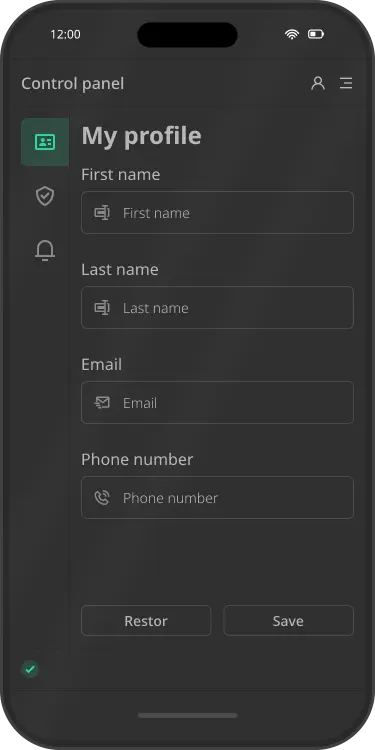
Control panel
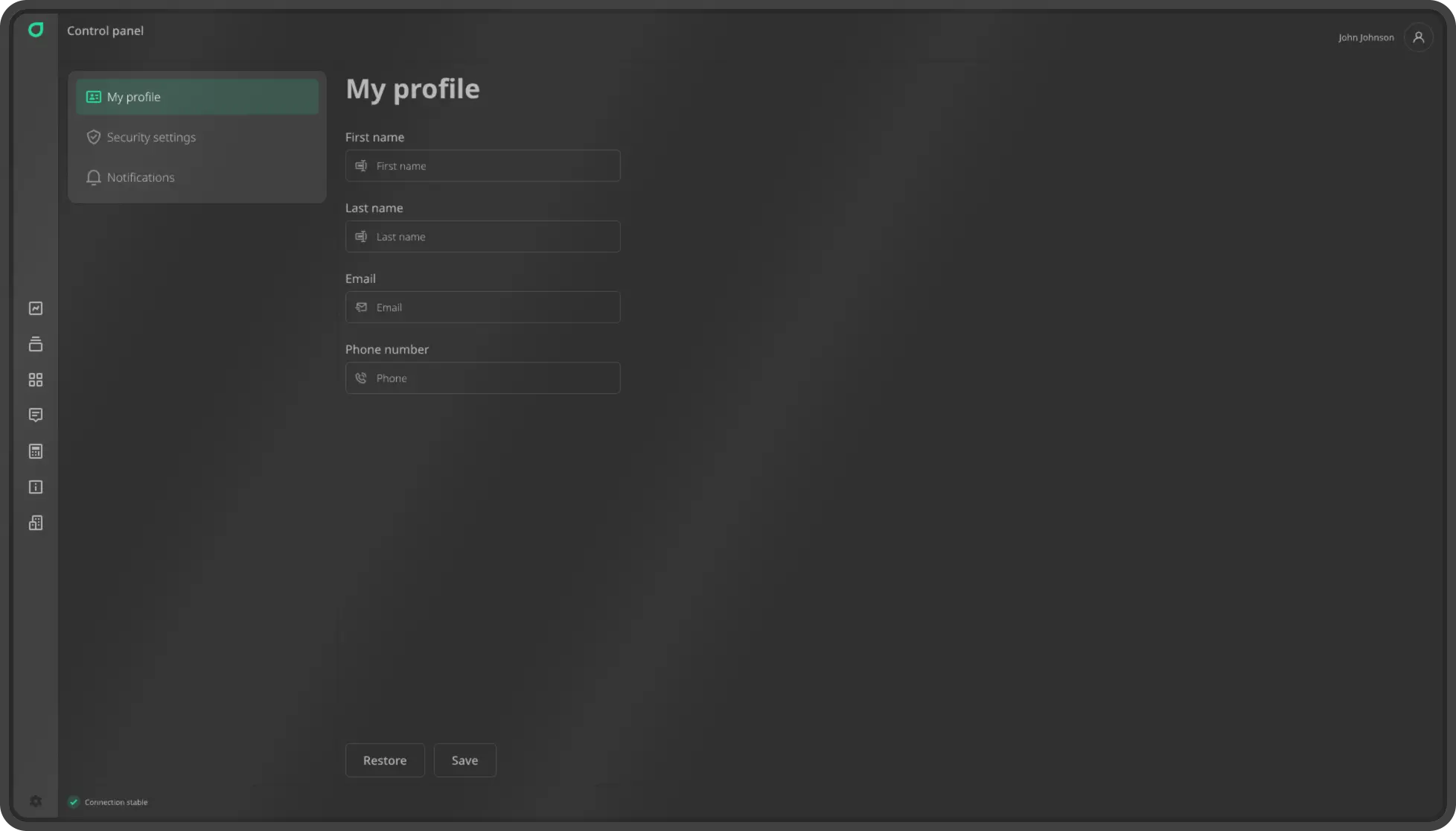
Your personal control center for profile management, security settings, notifications, and tip wallets. Users can easily edit personal details (first name, last name, email, phone), change passwords, configure alerts, and — especially for technicians — connect and manage cryptocurrency wallets to receive tips for completed tasks and prompt miner maintenance. All settings are seamlessly integrated into a single interface for maximum convenience and control.
Functionality
The functionality integrates all essential tools for efficient mining farm management into a unified interface: miner metrics and characteristics display, data sorting and filtering, ASIC miner control, device status indicators, technician task assignment, commenting, rack management, uptime/downtime calculations, and data logging.
Metrics and Characteristics
View detailed miner characteristics and metrics (hashrate and power consumption) with interactive graphs.
Sorting and filtering let you quickly locate specific devices among hundreds of miners.
Miner Management
Perform precise actions: reboot, switch pools, assign clients and serial numbers — or apply commands in bulk.
Miner Status Indicators
Each device’s status is shown via color coding and icons reflecting its real-time operational state.
Create tasks for technicians or leave comments for one or multiple miners simultaneously.
Flexible rack configuration — define sections, shelves, slots, and orientation exactly as needed.
Uptime and Downtime Calculation
Calculations are used to generate client invoices based on equipment operating time and downtime periods.
Event and action logging for equipment failures to enable subsequent analysis and root-cause resolution of downtime.
Notifications
Receive important alerts about events on your mining farm directly in Telegram. Stay informed about everything happening with your hardware and tasks.
- Scanner status
- New task
- New message in task chat
- Assignment of a task owner
- Task status change (open, under review, resolved)
- New user
- User registration
- Device management
- Device status
Stay connected — even when you’re away from the farm.



Supported ASIC miner models
Our ASIC monitoring software is compatible with popular mining models. Connect your equipment in 2 minutes – no firmware updates or complicated settings required.
- Antminer A3
- Antminer E9 Pro
- Antminer K7
- Antminer KS3
- Antminer KS5
- Antminer KS5 Pro
- Antminer KS7
- Antminer L7
- Antminer L7pitbit
- Antminer L7vnish
- Antminer L9
- Antminer L9pitbit
- Antminer L9vnish
- Antminer S19
- Antminer S19vnish
- Antminer S19 Pro
- Antminer S19 Probraiins
- Antminer S19 Provnish
- Antminer S19 Pro Hydrovnish
- Antminer S19 Pro+ Hyd.braiins
- Antminer S19 Pro+ Hydrovnish
- Antminer S19 XP
- Antminer S19 XPpitbit
- Antminer S19 XPvnish
- Antminer S19 XP Hyd.
- Antminer S19 XP Hydrovnish
- Antminer S19e XP Hyd.
- Antminer S19e XP Hydrovnish
- Antminer S19j Pro
- Antminer S19j Probraiins
- Antminer S19j Provnish
- Antminer S19j Pro+
- Antminer S19j Pro+braiins
- Antminer S19j Pro+vnish
- Antminer S19j Pro-Avnish
- Antminer S19j XP
- Antminer S19j XPpitbit
- Antminer S19j XPvnish
- Antminer S19k Pro
- Antminer S19k Propitbit
- Antminer S19k Provnish
- Antminer S21
- Antminer S21braiins
- Antminer S21pitbit
- Antminer S21vnish
- Antminer S21 Hydropitbit
- Antminer S21 Hydrovnish
- Antminer S21 Pro
- Antminer S21 Propitbit
- Antminer S21 Provnish
- Antminer S21 Pro+
- Antminer S21 XP
- Antminer S21 XPpitbit
- Antminer S21 XPvnish
- Antminer S21 XP Hydrovnish
- Antminer S21+
- Antminer S21+pitbit
- Antminer S21+vnish
- Antminer S21+ Hyd.
- Antminer S21+ Hyd.pitbit
- Antminer S21+ Hydrovnish
- Antminer S21e Hydrovnish
- Antminer T19 Hydrovnish
- Antminer T21
- Antminer T21braiins
- Antminer T21pitbit
- Antminer T21vnish
- Antminer Z15
- Antminer Z15 Pro
- AvalonMiner 1166Pro
- AvalonMiner 1246
- AvalonMiner 1466
- AvalonMiner 1566
- ElphaPex DG1
- ElphaPex DG1+
- IceRiver 11304
- IceRiver KS3M
- IceRiver KS5L
- Innosilicon A10U
- WhatsMiner M20S
- WhatsMiner M21S
- WhatsMiner M30S++
- WhatsMiner M30S+
- WhatsMiner M30S
- WhatsMiner M31S+
- WhatsMiner M31S
- WhatsMiner M50S++
- WhatsMiner M50S
- WhatsMiner M50
- WhatsMiner M53S
- WhatsMiner M60S++
- WhatsMiner M60S+
- WhatsMiner M60S
- WhatsMiner M60
- WhatsMiner M61S+
- WhatsMiner M61S
- WhatsMiner M61
- WhatsMiner M63S
Tips for Technicians
A transparent incentive system allowing specialists to earn extra rewards for prompt maintenance and issue resolution on the mining farm. After task completion, clients can send direct cryptocurrency tips. This feature transforms technical support from a mere obligation into a valued service.
How to Set Up Jeensys?
- Start by registering an account on the platform. If you’re an employee or client of a company, enter the invitation code provided to you.
- Company owners or moderators should go to the "Company Settings" page and create the necessary hostings. Then download the scanner application — the download button is usually located in the bottom-right corner of the same page.
- Extract the downloaded archive on a computer with network access to your ASIC miners (e.g., via BTCTools).
- Launch the application and enter the access token found in your hosting’s settings on the "Company Settings" page. For uninterrupted operation, add the application to your operating system’s startup programs.
- If your antivirus software triggers a warning, add the application’s installation folder to your antivirus exclusion list.
Pricing
Billing is automated based on the number of registered ASIC miners in your company. The more devices you have, the lower the per-unit cost. A 14-day free trial is provided upon registration. A free plan is available for clients with up to 50 devices.
More than 50 devices
$0.90 per device/month. Ideal for small mining farms wanting to start monitoring with minimal investment.
More than 100 devices
$0.75 per device/month. Optimal for mid-sized farms already generating steady income and requiring reliable oversight.
More than 500 devices
$0.65 per device/month. Save up to 25% compared to the base rate — great for scalable businesses.
More than 1,000 devices
$0.55 per device/month. Special terms for large operators focused on maximum efficiency and reduced operational costs.
More than 3,000 devices
$0.45 per device/month. Designed for industrial-scale mining farms with high equipment density — significant savings without compromising full control.
More than 5,000 devices
Only $0.35 per device/month. Exclusive corporate pricing for market leaders — minimizing costs to the lowest possible level.